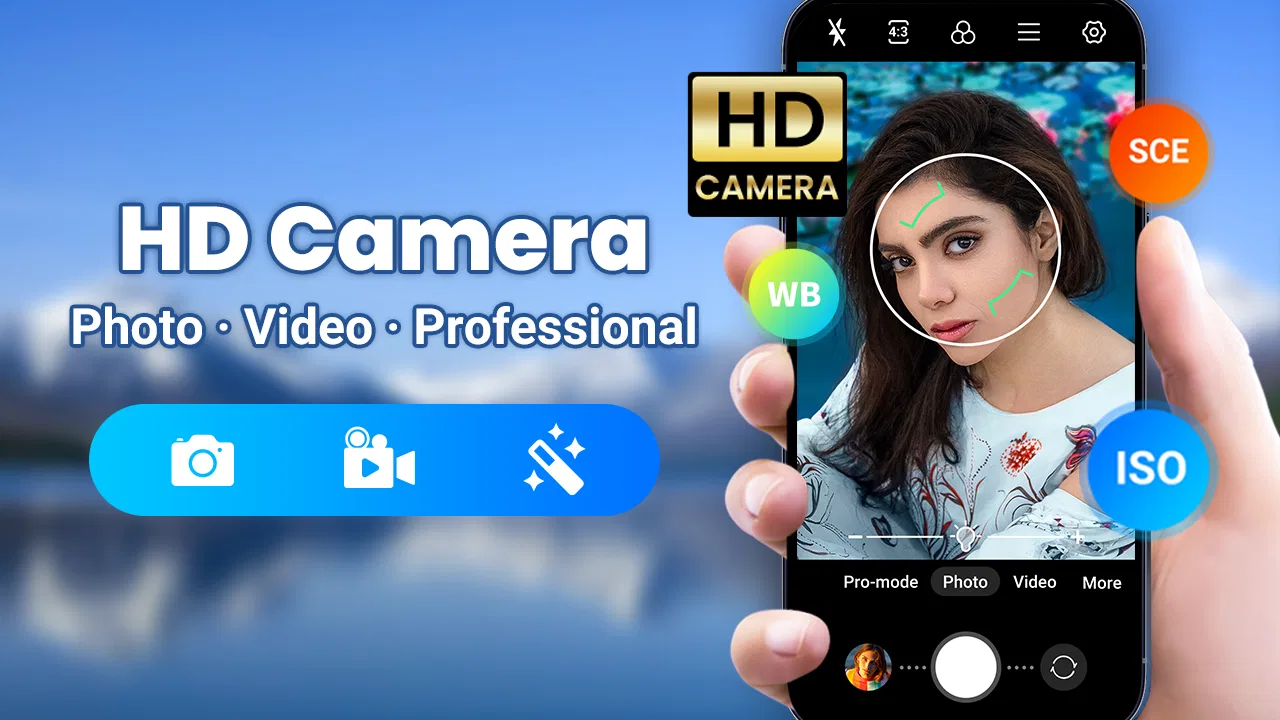
Camera for Android - Fast Snap
- 4.5
- Rating
- 10.00M
- Installs
- Free
- Price

 Analysis by App-foxy
Camera for Android - Fast Snap is the kind of photography app I reach for when the priority is taking a picture quickly rather than building an elaborate manual setup. It comes from iMediaStar and sits in the Photography category, with a straightforward focus on fast shooting, high-definition images and video, effects, and editing in the same general workflow. After spending time with it, I see its main appeal clearly: it tries to make the phone camera feel more immediate without asking the user to learn a complicated interface.
That simplicity is useful in ordinary situations. I can imagine opening it for a quick photo of a receipt, a family moment, a product listing, or something that will disappear before a slower camera app is ready. The app is free to install and aimed at Everyone, while optional purchases range from $2.99 to $9.99 per item. Its current version is 2.9.1, and it works on Android 6.0 and later, so it is accessible to people using both newer and older Android phones.
The public response is also substantial: it has a 4.6 average from around 56 thousand ratings and more than 10 million installs. Those figures do not replace personal testing, but they do suggest that the fast-camera idea connects with a broad audience. My own view is more specific: this is best treated as a practical replacement for a basic camera app, not as a complete substitute for a dedicated photography tool.
You May Also Like

 Google Keep - Notes and lists
Google Keep’s Quiet Growth Shows the Appeal of Simpler Notes
As mobile work gets busier, Google Keep keeps winning a simple contest: capture a thought quickly, find it later, and get on with the day.

 Blood Strike: 2.5 Anniversary
Blood Strike’s Loadouts Turn Every Drop Into a Tactical Gamble
A close look at Blood Strike’s custom loadouts: how fast access to signature weapons reshapes its battle royale rhythm, rewards preparation, and narrows the gap between fights.

 Pandora - Music & Podcasts
Pandora’s Music Is Easy to Start, but Harder to Recover
Pandora’s strength is its low-effort path from a seed to a station. Its weak spot is how much confidence it asks you to place in connection, setup, and quiet recovery.

 8 Ball Pool
 Is Built on Rivalries, Rematches, and Routine
A close look at the rivalries, rematches, shared routines, and unanswered safety questions that turn a quick pool match into a persistent mobile community.

 Samsung Music
’s Quiet Strength Is Playing What You Already Own
Its reach comes less from spectacle than from dependable access to a personal library. That simplicity is both the app’s strongest retention engine and its ceiling.

 AccuWeather: Weather Radar
AccuWeather Review: A Quick, Clear Forecast for Everyday Decisions
For everyday plans, the best forecast is the one you can understand quickly. AccuWeather makes rain timing, radar, and local conditions easy to act on, with a few trade-offs.
More From Our News Desk



How Camera for Android - Fast Snap behaves when connectivity enters the picture
I separate taking a picture from everything that happens to it afterward: a weak connection may slow sharing without changing whether the capture itself is useful. When I’m deciding what to do next, I first check that the image or clip is saved, then choose a sensible handoff rather than repeatedly retrying an upload. That distinction matters most with larger video files, so it leads naturally to the practical question of how to handle transfers.
The camera experience is mostly about the moment in front of you
The most important part of a camera app is what happens between seeing a subject and pressing the shutter. Fast Snap is designed around that short interval. Its quick-snap emphasis makes sense for spontaneous photography, where opening a large editor, choosing a mode, or waiting through several screens would make the shot less useful.
That matters in places where the network is weak or irrelevant to the task. A photo taken during a walk, at a crowded event, or while travelling is usually needed immediately, not after checking a connection. I would use this app when I want the phone to behave like a camera first and a connected device second. The practical advantage is not that every part of the experience should be assumed to work without a network; rather, the shooting action itself is the part I would keep separate from online distractions.
There is also a useful difference between capturing and sharing. Taking an image is one step, while sending it to a messaging app, uploading it, or backing it up involves other services and their own connection requirements. Keeping those stages mentally separate helps avoid blaming the camera when the real delay comes later. Fast Snap is most convincing at the capture stage, where speed and a simple path matter more than social or cloud features.
Effects are convenient, but they change the way I judge a shot
The built-in professional effects give the app a more playful side than a plain default camera. I like the idea of choosing an effect before taking a picture when I already know the mood I want. It can be useful for a quick portrait, a food photo, or a casual post where a finished look is more important than preserving every editing decision for later.
My advice is to treat effects as a creative shortcut rather than a guarantee of a professional result. A filter can improve consistency across a small set of pictures, but it can also hide problems with lighting or skin tone. I would first take a clean version when the subject matters, then experiment with the effect when the image is less important. That small habit gives me more flexibility if the result looks too strong.
Connectivity can influence this workflow indirectly. If I am trying to share a picture immediately, a heavy effect or a large high-definition file may make the next step feel slower on a poor connection. I would therefore avoid judging the app only by how quickly an edited image reaches another service. The useful question is whether it lets me capture the original moment quickly, and in that role it feels better suited than many camera apps overloaded with connected features.
High-definition video is useful, but storage and transfer deserve attention
Fast Snap also supports high-definition video shooting, which broadens its purpose beyond occasional still images. I can see it working well for a short clip of a child’s performance, a quick demonstration, a travel detail, or evidence of a problem that is easier to explain visually than in writing. Having photography and video available in the same app reduces the need to switch tools when the subject suddenly moves.
The trade-off is practical rather than glamorous. Higher-quality video creates larger files, and larger files take longer to send or upload when the connection is limited. If I am recording something only for immediate reference, I would keep the clip short and check the result before making another one. If the recording is important, I would leave enough storage space and avoid assuming that sharing will be instant just because capture was quick.
This is one of the app’s less obvious decisions: fast capture can encourage people to record more, while high-definition output makes each recording more demanding afterward. The app serves me well when I plan the handoff. It is less convenient when I expect a long video to move immediately through a slow mobile connection.
Using it in real mobile situations
My favourite realistic use case is a busy street market. I might notice an interesting sign, a handmade object, or a price label while moving through a crowd. I do not want to stop and configure a complicated camera. A quick-snap app is valuable because the subject may be gone by the time I finish adjusting settings. Once the image is captured, I can decide later whether it needs editing or sharing.
Another good setting is a commute. On a train or bus, the connection may change from one moment to the next, but the need to photograph something is immediate. I would use the camera to record a document, a timetable, or a visual note, then handle any upload once the connection is stable. This workflow avoids wasting time repeatedly attempting to send a file while the network is fluctuating.
For travellers, the app can be convenient because it combines still photos, video, effects, and editing in one place. However, I would not choose it solely because I expect every connected part of a phone to behave identically everywhere. Travel conditions vary, and the safer habit is to capture first, review the result, and share when the connection and destination app are ready.
What happens when something goes wrong
Camera apps are judged harshly when a moment is missed, so recovery matters. If a photo does not appear to have worked, my first step would be to stop pressing the shutter repeatedly and check the visible result. Rapidly taking several copies can create confusion, especially when the subject is moving. A quick review is more useful than assuming that a delayed screen response means the image was lost.
When sharing fails, I would separate the problem into two questions: is the picture present on the phone, and can the chosen service accept it right now? If the image is available, the camera has done its main job. I can retry later, choose a smaller version if the destination offers that option, or pass the file through another installed app. This is a simple recovery habit, but it prevents a weak connection from turning a successful capture into unnecessary panic.
Video deserves an extra check because a recording can appear complete while still being inconvenient to transfer. I would play a short section before deleting anything, particularly after recording in a crowded place or while the phone is busy. The app’s fast approach is helpful here, but speed should not replace verification when the clip is irreplaceable.
Editing can also be part of recovery. If a picture is technically usable but poorly framed, the built-in photo editor gives me a chance to improve it without immediately opening another application. I would use that for cropping, basic presentation changes, or preparing a clearer image for a message. I would be more cautious with important originals and keep the unedited version available until I know the result is acceptable.
Being careful with mobile data
Fast Snap is free to install, but that does not mean every part of a photography workflow has the same cost. The optional purchases are a separate consideration, and I would review any purchase screen carefully before confirming it. A free starting point is attractive, especially for someone who only needs a faster camera, but users who want to explore paid additions should decide whether those extras solve a real problem in their routine.
Data-conscious use begins with knowing when the file is being created and when it is being moved. Capturing a picture and sending it through a messaging or storage service are different actions. I would avoid repeatedly retrying a large video upload on mobile data, especially if the connection is unstable. Waiting for a more reliable connection is often more sensible than generating several failed attempts.
High-definition output is another reason to be selective. For a document or a quick visual reminder, the highest available quality may be unnecessary if the final destination is a small chat image. For a memory, a presentation, or something I may crop later, the extra detail can be worthwhile. The right choice depends on what I will do with the file, not simply on selecting the largest option every time.
Effects and editing can be handled with a similar mindset. I would make a clean capture first when the subject is important, then create an edited copy for sharing. That approach protects the original and avoids repeating the shot if an effect looks unnatural. It also makes the app more useful as a flexible camera rather than a one-way filter tool.
Who should use it, and who should look elsewhere
I would recommend Fast Snap to Android users who want a quick alternative to a slow or cluttered default camera. It is especially suitable for casual photographers, people who switch between photos and short videos, and anyone who likes applying an effect without moving immediately into a separate editor. The Everyone rating also makes its intended audience broad, while support for Android 6.0 and later helps people with older devices consider it.
I would be less enthusiastic for someone who wants deep manual controls, advanced lens management, detailed exposure work, or a carefully organized professional archive. The app’s appeal is speed and convenience, so a specialist camera application may be better for controlled shoots. Likewise, a user whose main goal is automatic cloud organization, collaborative albums, or instant social publishing should judge it by the capture experience rather than expect it to replace all connected photo services.
The comparison with the usual alternatives is straightforward. A phone’s built-in camera may integrate more naturally with the device and its gallery, while Fast Snap offers a focused route to quick shooting, effects, video, and editing. A dedicated editor will usually provide more detailed adjustments, but it adds another step. A social camera may make publishing feel more direct, but it can put sharing ahead of the original image. I prefer Fast Snap when I want a middle ground: faster than a full editing workflow, but more flexible than a bare shutter.
My final view of the connectivity trade-off
After using it as a practical photography tool, I think Camera for Android - Fast Snap succeeds when I treat it as the first stage of a mobile image workflow. It helps me capture a fleeting subject, record a short high-definition video, add an effect, or make a quick edit without turning the process into a technical project. Its strongest quality is the reduction of friction at the moment when a picture needs to be taken.
Connectivity does not erase that strength, but it changes what happens afterward. A weak network can delay sharing, large videos can be demanding to transfer, and paid options deserve a deliberate look. The sensible approach is to capture confidently, review important files, and postpone demanding uploads until the connection is dependable. The best reason to choose this app is fast, uncomplicated capture—not the promise of a complete online photo system.
With its free entry point, broad Android compatibility, and strong user response, it is an easy app for me to suggest to casual shooters who want more than the most basic camera but less complexity than a specialist tool. I would skip it only if manual photography controls or advanced connected organization are central to my needs. For everyday moments, quick visual notes, and short clips where timing matters, it earns a useful place on an Android phone.
In short, iMediaStar has built a photography app that understands a common mobile habit: see something, open the camera, capture it, and decide what to do next. The built-in editor and effects make that next step convenient, while the high-definition video option adds practical range. I would keep expectations focused on that simple workflow, and within those boundaries, Camera for Android - Fast Snap is a capable, approachable choice for quick mobile photography.
FAQs for Camera for Android - Fast Snap
01What features does Camera for Android - Fast Snap offer?
Camera for Android - Fast Snap provides a variety of features including high-speed photo capture, multiple shooting modes, and customizable settings. Users can enjoy options like HDR, portrait mode, and night photography. The app also includes photo editing tools for tweaking shots right after capturing them, enhancing user creativity.
02Is Camera for Android - Fast Snap free to use?
Camera for Android - Fast Snap is available as a free download with basic features. However, to unlock premium features such as advanced editing tools and ad-free experience, users may need to purchase a subscription or make in-app purchases, offering a more comprehensive photography experience.
03How user-friendly is Camera for Android - Fast Snap?
The app is designed with a user-friendly interface, making it accessible for both beginners and experienced photographers. With intuitive icons and straightforward navigation, users can easily switch between modes and access settings, ensuring a smooth and enjoyable photographing experience even for those new to mobile photography.
04Does Camera for Android - Fast Snap support video recording?
Yes, Camera for Android - Fast Snap supports video recording. Users can switch seamlessly between photo and video modes. The app provides options for different video resolutions and frame rates, catering to various recording needs, from casual clips to more professional-looking videos.
05What are the system requirements for Camera for Android - Fast Snap?
Camera for Android - Fast Snap requires Android version 5.0 or higher. The app is optimized for a wide range of devices, ensuring compatibility with most Android smartphones. For the best performance, it is recommended to use the app on devices with at least 2GB of RAM and a quad-core processor.
Pros
- Quick launch for instant photo capture.
- Simple interface for easy navigation.
- High-quality image processing.
- Supports various photo formats.
- Minimal app size saves storage.
Cons
- Limited editing features.
- No manual focus option.
- In-app ads can be intrusive.
- Lacks advanced camera settings.
- No cloud backup integration.

Camera for Android - Fast Snap
Gallery